Learning and guide to OpenClaw in simple words for beginners.
Channel with guides and content about AI and what can be implemented with it: https://t.me/claudedevolper
I installed OpenClaw for myself — a technology that literally exploded across the Russian-language and global internet. Within a couple of weeks, a huge number of videos appeared from AI experts, bloggers, and developers, where they show in detail how to set up your own personal AI assistant based on OpenClaw. I myself have been actively using it for two weeks now and decided to honestly share real experience. I recorded a detailed video breakdown and put together this article, where I talk about the most important practical aspects of working with OpenClaw. Right away I want to point out: there will be no loud statements like "this changes everything," "I fired my entire team," or "agents now work instead of me." Only dry facts, real cases, and concrete benefits — without hype and marketing noise. Boring, but to the point.

Technical feature of OpenClaw: how agents actually work
If you're not yet familiar with OpenClaw, below I'll give you a short historical reference and explain the technical essence of this AI agent. I've already talked in detail about how modern AI agents work in a separate article and video — it's all maximally detailed there. Here I'll give only the most important takeaway so you understand the working principle. At the foundation of everything is LLM (large language model). Essentially it's a simple mechanism "text → text". Text goes in, text comes out. All the magic is in the fact that the model "understands" the request and produces a meaningful response. Then came an important breakthrough — the tools (instruments) mechanism. Now along with the text of the request, the model receives a list of available commands (functions) that it can call. Example: we tell the LLM that it has a tool "set a reminder in the calendar". For it to work, two parameters are needed — the name of the event and date+time. When a user writes: "Set a reminder for tomorrow at 10 AM about a meeting with a client," the model analyzes the request, understands that this is exactly a task for the tool, and forms a special JSON command. The system receives this command, executes it in the real world (puts an event in the calendar), returns the result back to the LLM. After that, the model responds to the user in regular text: "Reminder successfully set for tomorrow at 10:00 AM".
How OpenClaw breaks the conventional scheme of creating agents
For a long time, AI agents were built in the same way: we prepared a list of tools in advance, passed it to the model, and it would choose which one to call. For such an agent to work stably, all the tools need to be written, connected, tested, and debugged. This was traditionally done by developers. Even with modern assistants like Cursor or Claude Code, the process still requires time and engineering skills. OpenClaw completely changes this paradigm.
Inside the system, a meta-tool appears, which you could conditionally call "add yourself a new tool". Everything that a person used to do — write code, connect a function, fix configs, and restart the service — can now be done by the agent itself.
The scenario looks like this:
User formulates a request for a new feature.
Agent opens its documentation.
Analyzes what changes are needed.
Generates a new tool in Python or TypeScript.
Independently writes it into configuration files.
Rebuilds and restarts itself.
Previously, this took several steps involving a developer. Now most of the work happens automatically. Modern models are already smart enough: in most cases they create a working tool on the first try that can be used right away.
If something goes wrong, the agent has a built-in rollback mechanism. It can revert to the previous version of code or configuration and try again. This is certainly not a full-fledged Git with branches and pull requests, but after a failure, OpenClaw is able to get back up on its own and continue working.
In the end, the user just says: "Make it so you can do this". Then the agent itself:
- studies the documentation,
- adds the necessary functionality,
- restarts in the updated form.
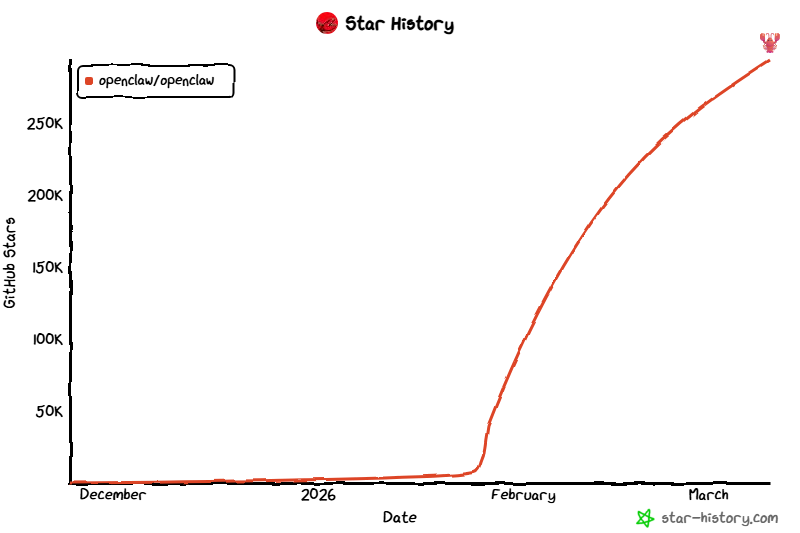
If the new tool requires additional data — API keys, access tokens, or other parameters — OpenClaw will request them from the user itself. After that, all secrets are saved in separate protected environment variables and configs. They never get into regular logs and are not displayed in messages. The system handles sensitive data with maximum caution from the start. The hype around OpenClaw. OpenClaw quickly reached well-known developers and bloggers. An avalanche effect started: the number of stars on GitHub skyrocketed, and videos and reviews came pouring in one after another.
Why the hype around OpenClaw makes me skeptical
Then came the classics: online courses, loud headlines like "the world will never be the same again" and "we're rewriting the rules of the game." For a while, my social media feeds were full of videos where yet another blogger or AI expert was talking about how they fired their entire department, replaced it with a single agent, and now live in "passive income and freedom" mode.
The future has arrived, no doubt about it! (Spoiler: no.)
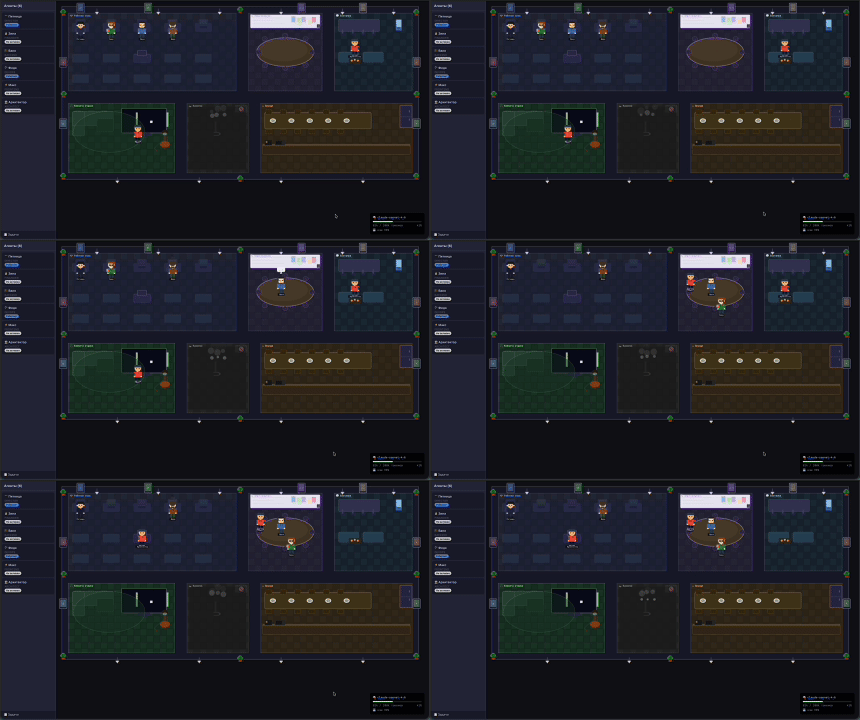
I watch as people assemble entire "agent offices" in Warcraft style — it looks very impressive visually, but in real work it rarely brings tangible benefit. My inner IT skeptic immediately recalls the metaverse story: the same loud hype, beautiful demos, and... exactly the same disappointment a year later.
Why I still decided to try OpenClaw despite the hype
Usually I try to steer clear of loud technological hypes. But at the same time, I always carefully track new tools — sometimes real working solutions hide behind the noise. With OpenClaw that's exactly what happened: I ran it in real work and understood that in certain tasks it really does bring tangible benefit.
Installing OpenClaw: two paths — dangerous and safe
OpenClaw can be installed in two fundamentally different ways.
1. Dangerous path — local one-command installation Documentation suggests running a ready-made script that 'flashes' OpenClaw directly into your main system. The script does everything automatically:
- downloads and updates Node.js to the required version,
- installs OpenClaw itself,
- configures it as a system service,
- pulls in all dependencies and environment.
As a result, the agent immediately starts working in the background on your work computer.
The pros of this approach are obvious.
OpenClaw gets full access to the file system. You can give it tasks like: "Find the latest client contract, update the details, and save the new version." The agent will find the file itself, open it, make changes, and return the result. Besides, it can work directly with the browser: open websites, fill out forms, collect data. I've seen a demo where the agent independently logged into a ticket sales site, selected a route, checked the schedule, and provided ready-made options.
In essence, this is almost the 'Jarvis' we're looking for — an assistant that actually interacts with your work environment.
But there are serious risks.
First, data leaks are possible.
To make decisions, the agent regularly sends a large context to the LLM: file contents, open tabs, system state. Some of this information might go to the model's servers.
Second, dangerous actions. The model can make mistakes, 'hallucinate,' or misunderstand the task. If the agent has full system access, it can accidentally change important files or settings. I've seen real cases where the model just broke its own configs: it needed to fix JSON — it forgot a comma, the file stopped being read, and the whole system crashed. For a developer, it's five minutes of fixing. For an ordinary user — complete stoppage and complete confusion about what to do next. As a result, a 'graveyard' of non-working OpenClaws emerges, which only people with an IT background can figure out.
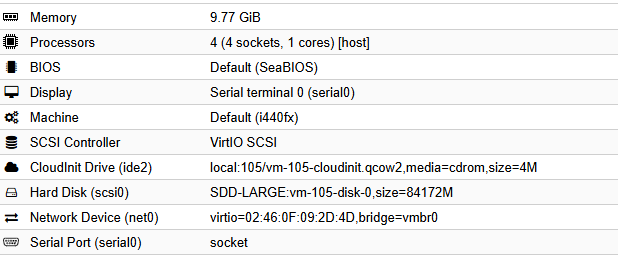
2. Safe path — isolated environment I chose this option and maximally separated the agent from the main work machine. Currently, I have a separate virtual machine (VPS) in the company's data center. It runs clean Ubuntu, OpenClaw is installed, and almost nothing else. If the agent breaks something — only this virtual machine will suffer. It has no SSH access to the main servers.
In the future, I plan to allocate a separate laptop for it: its own user, its own browser, its own accounts, and access only to services I explicitly allow. Essentially — a full-fledged 'workplace' for the agent. This approach immediately solves the main problems:
- Security. The main computer stores client data, access to production servers, and other sensitive information. I'm not ready to put this under the control of a model that makes decisions through an external API.
- Control. If the agent needs to view a website, I can simply connect to its machine and open the page manually — sometimes faster and more reliable.
- Minimal consequences of failure. In the worst case, I just delete the virtual machine and spin up a new one in a couple of minutes.
Real Cost of OpenClaw
Now the most important thing that almost all bloggers are silent about.
OpenClaw works thanks to LLM inference, and it's quite expensive. All the stories about 'fired the entire department and replaced it with one agent' nicely sidestep the question of token expenses. It's like in the early 20th century saying 'I no longer walk, I drive a car' and saying nothing about the cost of gas and maintenance.
I looked at the actual logs of my requests and collected several illustrative examples:
Example Input Output Cache Price
Reset session 10 668 37 1 408 ~1.5 ₽
Reminder 45 300 522 16 100 5–7 ₽
Coding task 263 000 6 000 168 704 50–60 ₽
- Channel with guides and content about AI and what can be implemented with it: https://t.me/claudedevolper
- Step 2. Configure the system prompt
- Step 3. Grant access to the repository
- Step 4. First test request
- Step 5. Working through regular code‑review
- How I connected voice message recognition
- Intermediate results
- Channel with guides and content about Claude Code, we post news (when limits are cut by 10x) and what tools we implement for projects via Claude, channel: https://t.me/claudedevolper
Why OpenClaw turns out to be so expensive in real work
When you write a simple 'hi, how are you' to an ordinary chat, it's just a few dozen tokens. With an agent, it's different. Each request is sent together with a huge system context: detailed instructions on agent behavior, a complete list of tools with parameter descriptions, current memory, dialogue history, and service rules. In total, it's already tens of thousands of tokens per request. So even the simplest command 'set a reminder' turns into a full-fledged internal dialogue. The workflow looks like this:
- The agent sends the model a request: 'What should I do next?'
- The model analyzes the task and returns a JSON command with the tool.
- The system performs the action and addresses the model again: 'I did this. What should I tell the user now?'
Each step is a separate request to the LLM. As a result, even a small operation easily burns tens of thousands of tokens. From my actual logs:
- A simple session 'reset' — about 10,000 tokens just for the input context.
- A typical task 'set a reminder in an hour' — 40–50 thousand tokens, because the agent checks the documentation several times and forms a response.
But if the task is more complex (write code, edit a project, create a new page), the costs easily run into hundreds of thousands of tokens per operation. With active use, you can easily spend 2–3 thousand rubles per hour. Per day — tens of thousands. Initial setup and experiments are especially expensive. There's another hidden expense item — cron/heartbeat. An agent can wake up on a schedule, perform background tasks, and spend tokens even if you don't write to it. On Reddit, people share stories about leaving OpenClaw running for a day with automation — and getting a bill for 5–7 thousand rubles a day.
The price of hype versus actual economics
This is where the math of pretty stories like "I fired an entire department and now one agent works for me" crashes into the concrete of reality. If an agent runs continuously for even an hour, that's easily 10–20 thousand rubles. Per month, the sum can approach a million. That's why all the talk about completely replacing employees falls apart when you look at the economics. An agent can genuinely handle a specific function or routine task, but completely replace a person — only if the work was inefficient to begin with.
Subscriptions from providers: cheaper and predictable
Paying for tokens on an "as-you-go" basis always carries the risk of suddenly getting a big bill. When an agent is actively working, the meter spins very fast: tens of thousands of tokens per operation, then another step, then another. At some point you just discover that you've spent several thousand rubles on a couple hours of experiments. Subscriptions in this sense work like insurance. You have clear limits, you roughly know how much you can use the system per day or per several hours, and there's no danger of getting an unexpectedly huge bill because of one failed agent experiment.
Real limits of Claude Pro and Anthropic subscriptions when working with OpenClaw
Observing discussions in the community, I've formed a clear opinion: cheap subscriptions run out very quickly. Let's take the most popular option — the basic Claude Pro subscription. It typically lasts about an hour of active dialogue with an agent. After that, you hit the limit and are forced to wait for it to reset — sometimes for several hours. This is exactly why for serious work with OpenClaw, most users switch to more expensive plans. Anthropic has plans that genuinely allow you to work without constant limitations — these are plans around $200 a month. They provide a working volume of tokens sufficient for full-scale agent operation. But the price is quite high. That said, Anthropic has a fairly strict policy: the company doesn't like when their subscription is used not through official interfaces, but through third-party agent frameworks and systems like OpenClaw. In such cases, accounts are sometimes simply banned without warning.
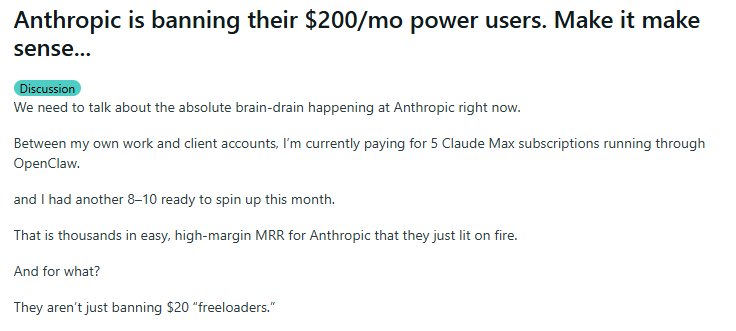
Reddit post about Claude Code account bans
Why do we even need OpenClaw?
In videos and reviews, OpenClaw is usually shown as a "magic wand": you set up an agent, and now it writes code itself, responds to clients, manages tasks, and completely replaces a live employee. It looks like you've got a full-fledged digital colleague 24/7. My view is much more grounded. I see OpenClaw not as a replacement for a person, but as an extension of arms — a tool that speeds up what I can already do. It's an evolution of the same AI, except now it can be quickly trained and improved for my needs. It doesn't do magic and doesn't replace my brain. It just removes routine work. Essentially, it's the next level after a good terminal, IDE, or bash autocomplete. At one point, bash-autocompletion and WebStorm were such accelerators for me — they saved tons of time on little things. Before, to make a change to a project, I had to open the repository, find the file, fix the code, and create a merge request. Now an agent can take on part of that chain. But the final decision, checking the result, and responsibility — I keep those for myself. That's exactly why I implement OpenClaw not as an "autonomous worker", but as a smart assistant for specific tasks — where it genuinely saves time but doesn't create the risk of breaking something. Below I'll tell you about real examples where it's already proven useful.
Coder agent via voice messages in Telegram
One of the most practical cases I set up for myself is a coder agent via Telegram with voice messages. Coder agents are nothing surprising today (I've even told before how we use them in the company). But I wanted to get exactly a "life raft" for every day: the ability to quickly make changes to a project even when I'm not at the computer — in the car, on a walk, or on a trip.
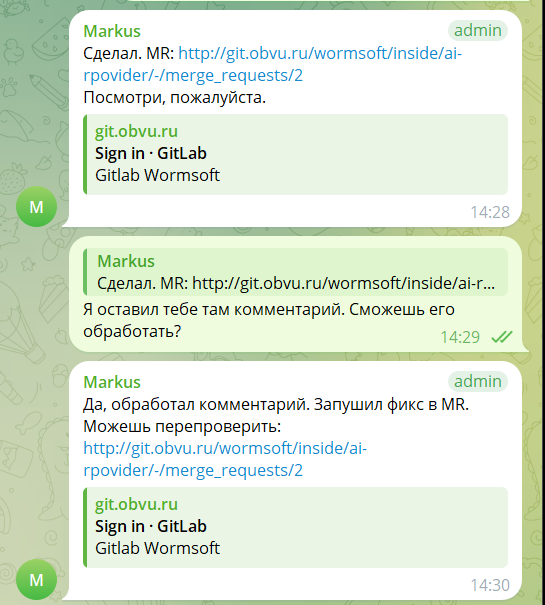
How the OpenClaw coder agent works in Telegram
I set up a separate specialized agent specifically for Telegram. You can communicate with it both through regular text and voice messages. Here's what it can do:
- accept voice messages,
- transcribe them to text (or work directly with a text request),
- understand the task,
- make changes to the project code,
- create Merge Requests,
- send me a direct link to the MR.
The agent has a strict limitation: it doesn't have access to production and can't do auto-deploy. The final action always remains with me. Here's what the process looks like in practice:
- I send a voice or text message asking for a change.
- The agent finds the right repository, analyzes the code, and makes changes.
- Creates a Merge Request and assigns it to me.
- Sends me the link to the MR.
- I open the MR, review the changes, leave comments — just like with a regular developer.
- If needed — I tell the agent to fix the comments.
- It makes corrections and updates the MR.
- When everything is good — I merge the changes myself.
Essentially the agent works like a junior developer: does all the rough work, but final control, checking, and responsibility remain entirely with me. This tool has really saved me several times. Real example
Once the prices on the website went wrong: instead of 60 rubles, they started showing 60,000. I wasn't at the computer and tried to fix everything from my phone. As a result, I accidentally broke the service — it went down until I rolled back.From a computer I would have fixed it in two minutes. But from a phone without an IDE and normal access to the project it turned into real torture. In such a moment, the OpenClaw voice coding agent comes to the rescue: I dictated a message — it made the fix, created an MR, I calmly checked the changes from my phone and merged it. No panic and no long downtime.
How I configured the OpenClaw coding agent
Below I'll briefly tell you how I did it. Interesting point: the tool configuration process itself largely happened through communication with the same agent — I added new features literally in the dialogue.Step 1. Create a separate chat for development
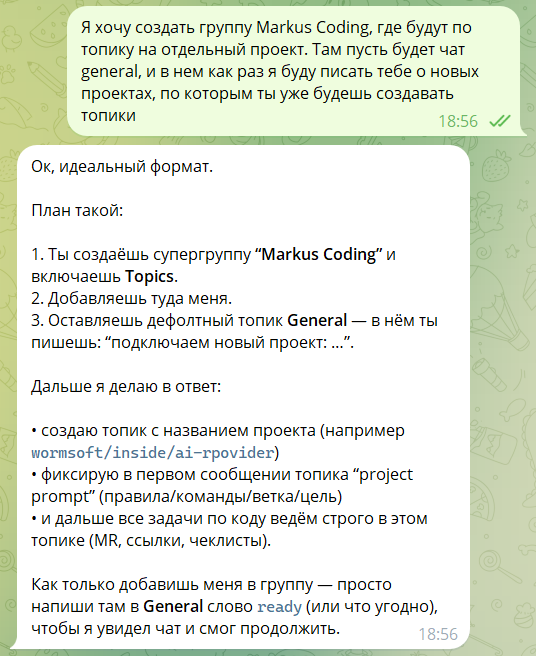
First I asked the agent to create a separate chat that would be used specifically for development. The idea was simple: so that regular conversations with the agent wouldn't mix with coding tasks.
I wrote to him something like: I want a separate chat where we'll work as developer and client. He told me what I needed to do — create a chat, add it there, and write him a test message.
At first I started writing in the main channel general and was surprised that the bot didn't respond. Then it turned out that in group chats OpenClaw by default only responds if you mention it with @mention. After that everything worked.
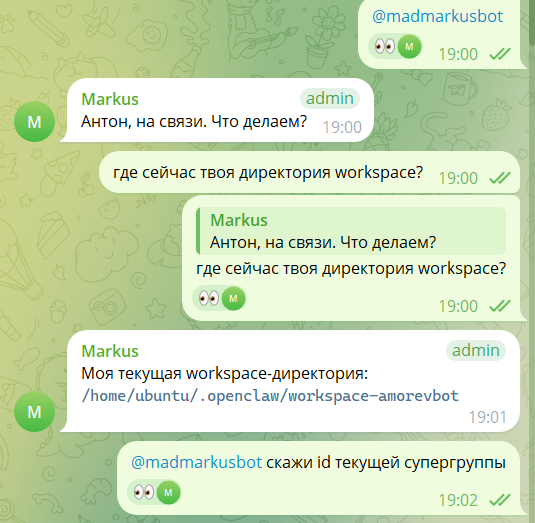
The problem is that the bot confidently talks about the reason, but I already have extensive experience developing Telegram bots and understand that it's clearly not about me writing in the wrong place or in the wrong way. It doesn't mention the main reason — the bot was originally configured to work specifically through "tagging" the bot's username.
Step 2. Configure the system prompt
Next I attached a separate system prompt to this chat. In it I described the agent's role:
- it acts as a developer;
- works only with a specific project;
- makes changes through merge request;
- does not have access to production.
This is important — because without such restrictions the agent might start doing things I don't expect from it.
System prompt configuration happens in the openclaw.json file. I have such a block at the path channels.telegram.accounts.amorevbot.groups:
"groups": { "*": { "requireMention": true }, "-123123123123 (ид чата)": { "requireMention": false, "groupPolicy": "allowlist", "enabled": true, "topics": { "23": { "requireMention": false, "enabled": true, "systemPrompt": "Ты отдельный агент для проекта ai-provider. Всегда работай в репозитории /home/ubuntu/.openclaw/workspace-amorevbot/ai-rpovider. Все указания по работе с проектом читай тут /home/ubuntu/.openclaw/workspace-amorevbot/projects/markus-coding/ai-provider/AI_RULES.md и всегда следуй этим правилам!" } } }}Step 3. Grant access to the repository
Next step — access to Git.
I created a separate user in GitLab specifically for the agent. This is also a security matter: if something goes wrong, this account can simply be disabled.
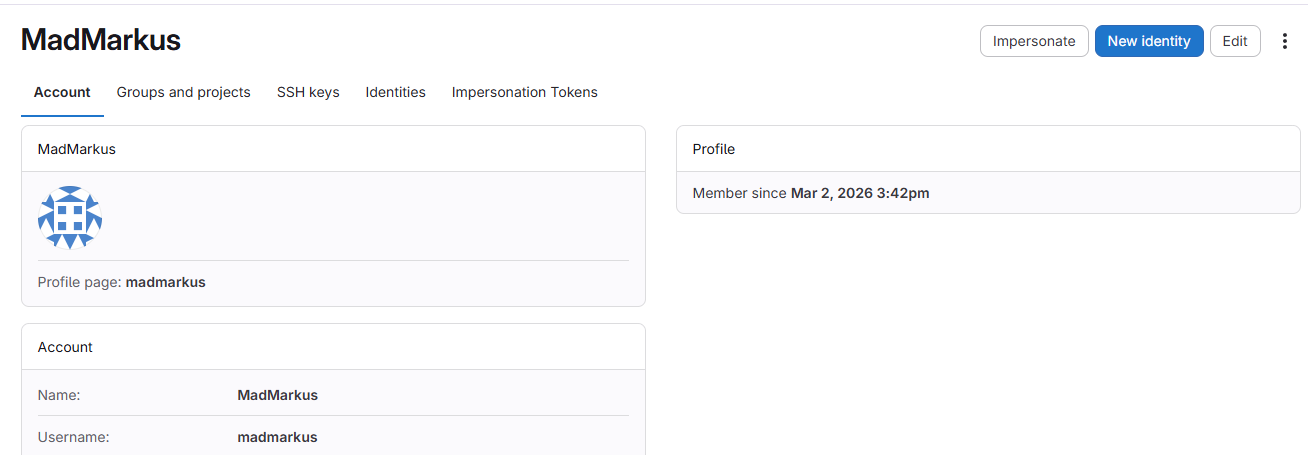
Next I:
- created an SSH key;
- added it to GitLab;
- gave the agent an access token.
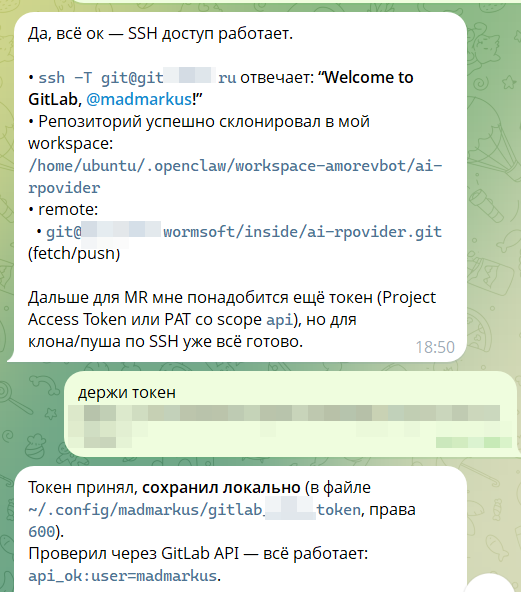
After that, the agent could already clone the repository, create branches, and push changes.
Step 4. First test request
After the setup I gave it the first simple task.
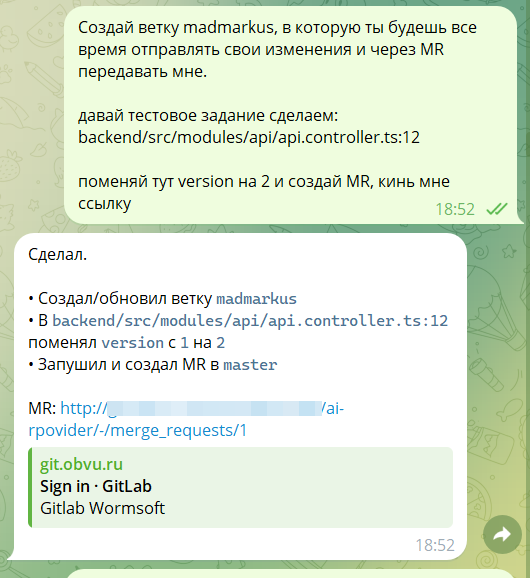
The agent:
- downloaded the repository;
- figured out the project structure;
- added the necessary files;
- made a commit;
- created a merge request.
In a couple of minutes I already had a link to the MR.
Step 5. Working through regular code review
Next the process looks exactly the same as with a regular developer. I open the MR, look at the changes, and write comments:
- fix this here;
- wrong file here;
- better to do it differently here.
The agent reads the comments, makes changes, and updates the MR. Nothing new here.
OpenClaw assistant for writing posts to a Telegram channel
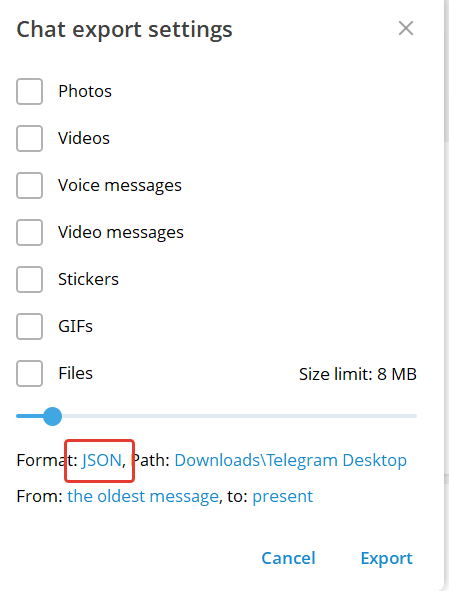
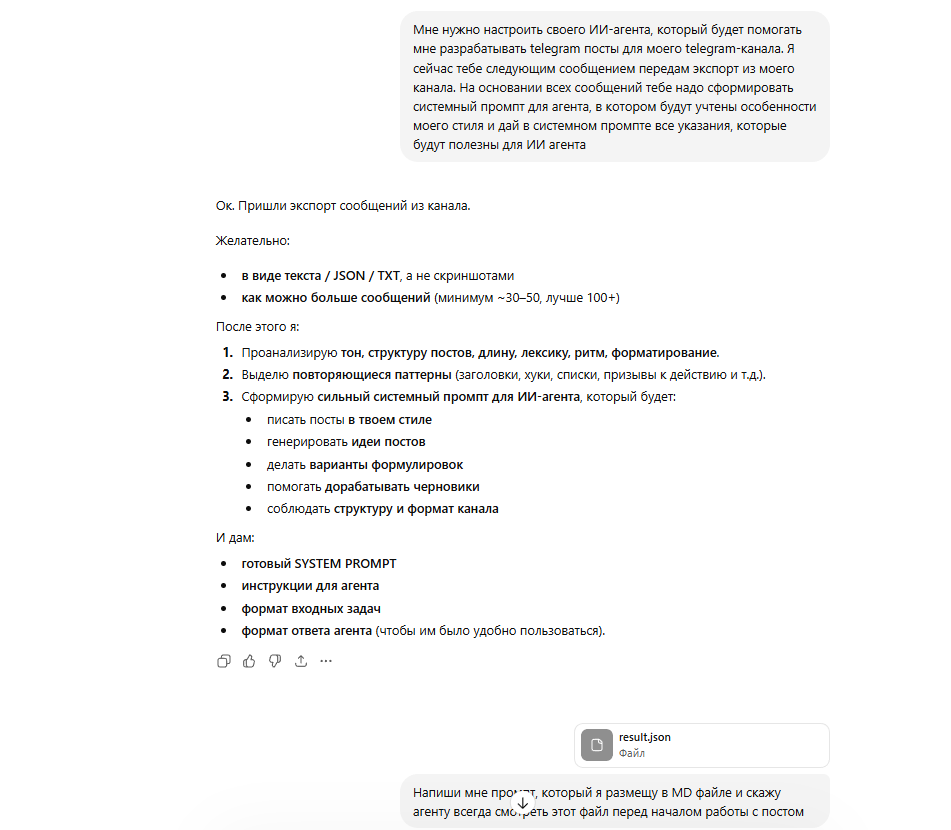
Another case that unexpectedly worked well for me is an assistant for preparing posts for my Telegram channel. I have a channel where I regularly write about automation, development, and AI experiments. The main problem is that writing posts consistently is quite difficult. I have thoughts and ideas, but often I don't have time to sit down and properly format the text.So I decided to use OpenClaw specifically as an editor and content creation assistant.First I downloaded my entire channel history and passed it to the model so it would completely understand my writing style. Essentially I asked it to analyze:
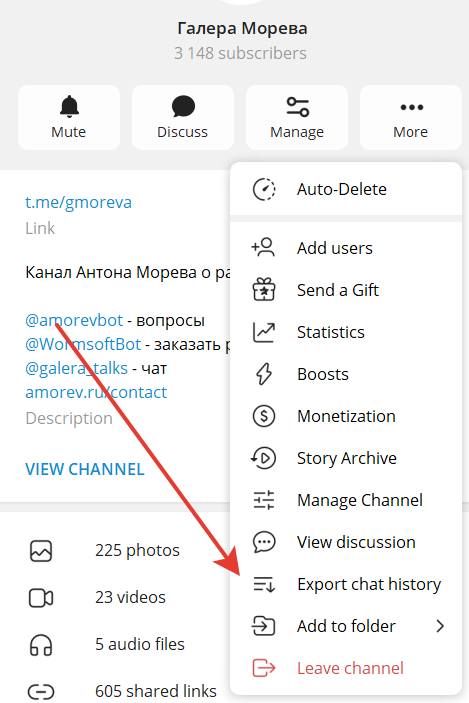
- how I formulate thoughts;
- what expressions I use;
- how I usually structure posts;
- where I add jokes or irony.
After that I created a system prompt that describes my writing style. Now the agent understands roughly "how I usually write".
The next process is very simple. I can dictate a voice message or write a few points like:
- "tell about the new tool";
- "explain why it's interesting";
- "add a couple of practical conclusions".
The agent takes these points, expands them into full text, and creates a draft post. It tries to write in the same style as I usually write in the channel. After that I just open the text, edit it a bit, remove excess, add details somewhere — and the post is ready.
That is, the agent doesn't replace the author, but greatly speeds up the process: instead of writing text from scratch, I start with a ready-made draft. All posts since March 4 I write with its help. And I have to say that this greatly simplifies my life and extracting thoughts from my head.
For a small channel this turned out to be unexpectedly useful. Posts are prepared faster, and the barrier of "sit down and start writing" practically disappears.
How I connected voice message recognition
To make the coder agent and the post assistant work properly with voice messages, I had to solve one more problem — speech recognition.
OpenClaw has out-of-the-box support for voice messages through models like Whisper. It will install Whisper locally on its own, configure it, and recognize speech using the server's resources or through the cloud (for that it will need to pass an OpenAI API token).
Our company already has its own service for working with audio. So I decided not to reinvent the wheel and connected to our hacky custom provider.
The architecture turned out roughly like this:
- The Telegram bot receives a voice message.
- The file is sent to the transcription service.
- The service converts audio to text.
- The text is passed back to the agent.
- The agent then works with it as a regular text request.
Our service has several levels of processing. First, the main recognition model is used. If it fails or something breaks — there's a fallback to other models. As a result, the system quite reliably converts speech to text.
The most "magical" part was how I connected the "claw" to the transcription service. I asked another agent to look at how the integration with our provider is implemented in another real project and describe all the details to me (how to send a request to the queue, poll the result, where to send the token) in the form of a single MD file.
The agent configured everything itself, asked me for an access token, wrote it where needed, added a hook for processing voice messages — and it all magically worked!
Effectively, this turns a Telegram chat into a voice interface for development and automation, which turned out to be much more convenient than constantly typing long messages.
Intermediate takeaways
I've been using OpenClaw for just a few weeks, so it's too early to draw any major conclusions. But I can already formulate a few intermediate observations.
1. This is definitely not a "magical AI employee".
All the stories on the internet about how an agent completely replaces people are greatly exaggerated. Economics and reliability just don't allow for that kind of work yet. An agent can do individual tasks, but leaving it completely without supervision is a pretty risky idea.
2. This is a very good productivity booster.
In those places where before you had to spend 10–15 minutes on routine — opening a project, finding a file, making a small fix, creating an MR — now you can simply delegate part of this chain to the agent.
3. Most importantly — properly constrain the agent.
All the cases that actually work for me are built on one principle: the agent has access only to the system where it can work safely.
- the coder agent has no access to production;
- the agent works in a separate virtual machine;
- all changes go through an MR and manual review.
That is, the agent does the draft work, and the final decision remains with the human.
4. Very specific tasks work best.
When an agent is given a clear and limited task — for example "make a fix to a project", "compile a draft post", "analyze text" — it handles it well. When the task becomes too general or vague, effectiveness drops sharply. You could of course plug in an expensive model and spend a lot of money, but that's clearly not my approach.
Channel with guides and content about Claude Code. We post updates (like when limits are slashed by 10x) and show what tools we build for projects through Claude. Channel: https://t.me/claudedevolper