The project is strictly limited by deadlines and budget — sounds familiar?
We needed to build a foundation for a mobile app design system from scratch. Tokens, typography, components, templates, documentation — all at once and in a tight timeframe. Doing it completely manually would take way too long, so I asked myself — how could we automate this?
Channel with guides and content on claude code, we share news (when limits get slashed 10 times over) and what tools we implement via claude for projects, channel: https://t.me/claudedevolper
The plan was flawlessly ambitious: delegate and build a real assembly line that would keep us from slowing down the business. And without getting stuck on tedious work with components, experiment with screens and user paths.
Spoiler: didn't work out 😣. But there was a plot twist…
What the plan looked like and how we stuck to it

Behind us:
- Lo-fi wireframes (screens without design to understand the app structure) ✅
- Guidelines for token structure (+ all necessary links, for example, to the Design Token Community Group website and Tokens Studio) ✅
- Repository creation ✅
- Setting up MCP server in Figma ✅
We fed GPT layouts with app descriptions and made sure the list of components with all their states was accurate and free of hallucinations. In parallel, we were writing documentation for token structure and combining different LLMs to get faster results, all according to Figma API and DTCG standards

We got different results in different chats, Claude handled preparation better and generating ideas and super-prompts. ChatGPT did better with final documents.
We generated JSON with tokens, pushed it to the repository, and via Tokens Studio linked it and imported the tokens into Figma.
Using ChatGPT's Codex I was able to generate web pages with all components and their states from the received list. And then import all of this into Figma via the configured MCP server.
So we had everything in our hands — tokens, components, and we could move on to documentation, but…
Where we shot ourselves in the foot
When you have tokens and components — that's great. But it's even better when tokens are connected to components! And that's exactly what this scheme didn't account for.
Components existed in Codex space, tokens — in Tokens Studio space. No connection was initially set up because automating each step didn't assume the steps would know about each other. As a result: Figma ended up with two parallel universes — components without tokens and tokens without components.

Then an audit of what we generated began. The token structure often didn't match how components were actually structured. Duplicates, inconsistencies, hallucinations in naming — all of this needed to be checked and fixed manually. This work could take an infinite amount of hours, because nobody knew whether everything would need to be redone once we checked everything.

AI could generate a component with nested components, but all nested elements were created from scratch — without linking to already existing parent components.
When it came time to connect them — it turned out to be roughly the same amount of work as doing it from scratch. Except now we still had to figure out someone else's structure — even though it was generated according to our specifications, it was still generated by AI.
The work done provides a boost in quality, but not a boost in time — that depends only on specialists and context.
By that point, we had almost no time left.
What this says about AI in 2026
AI is a true gift for a designer in optimizing the most uninteresting and basic work: generating placeholder text that fits layouts, structuring a plan from specs, formulating tasks, helping with discovery and project immersion, and much more, including building prototypes and wireframes.
AI does isolated tasks well. Pull a list of components from layouts — ✅. Generate JSON tokens to spec — ✅. But the connection between the results of these tasks — ❌ that's separate work that nobody will do for you yet with just a button click. And that's exactly what we had no time or budget for.

By the time this article was published, Figma added the ability for agents to work on the canvas via MCP, which could mean the problem is partially solved, or maybe not — that remains to be seen.
How we got out of this critical puzzle
It was scary, but we seem to have managed.
The trickiest ideas always come from the hardest (to put it mildly) situations. So it became clear to us what our bottleneck was — how to integrate tokens into components, how to make what seemed impossible work in Figma's design process. But what if… you could?
The process of connecting tokens can be described as a clear algorithm with a concrete expected result. There's a specification, there are guidelines on how to build tokens. There are plenty of practical lectures from various designers, with which you can formulate a specific prompt that would allow to connect all of this. But there's no way to let AI do it. However, Figma has plenty of plugins that cover various needs.
What if… Create a plugin that would, according to a clear algorithm, analyze components and token structure, connect tokens or create necessary ones at the press of a button?
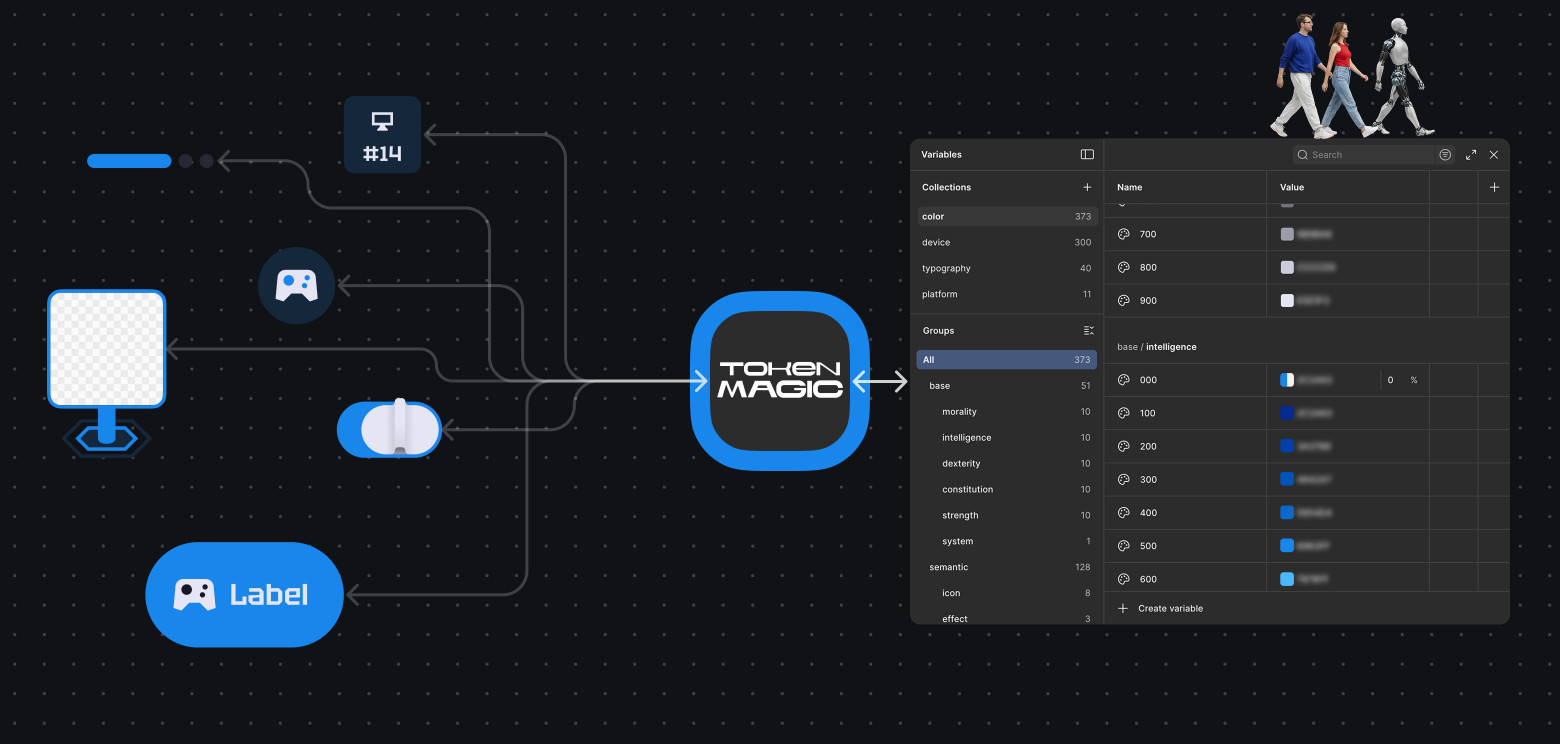
The result didn't take long! I wrote a Figma plugin for this specific task using Codex. It works according to a very simple algorithm:
- Analyzes the component: looks at all its parameters, analyzes its internals, determines what kind of component it is
- Analyzes existing tokens: looks at the structure, finds suitable ones or determines that there are no suitable ones
- Creates new tokens if there are none in the project
- Binds the component to these tokens
Of course, this is not a "Wish Fulfillment" incantation; it's primarily a working algorithm-based tool, so it has its own problems: it doesn't always catch the component's structure; it struggles to understand what needs to be wrapped in tokens and what doesn't; it may fail to correlate token structure with component naming and create new tokens; creating new tokens can result in very complex nested structures because of component naming; and much more.
Every shortcoming had to be addressed either manually or by improving the plugin. But it saved us and the project. The solution turned out to be non-trivial, and the experience will stay with us for a lifetime 🥷
We completed the task on time, and the result is primarily not the design system itself. Rather, it's the understanding that AI is not a magic wand, and it's not even a proper workstation yet. It's more like a power drill—a working tool that accelerates certain parts of the work, but can't solve all tasks at once with a single prompt. Of course, we understood this, but budget and time constraints made us want to try solving the task in a new way. And it seems we pulled it off!
Channel with guides and content about Claude Code, we post news (when they cut limits by 10x) and what tools we implement through Claude for projects, channel: https://t.me/claudedevolper