Channel with guides and content about AI and what you can build with it: https://t.me/claudedevolper
How Claude Code Helped Me Completely Rebuild the Website from Tilda
I used to have a website on Tilda. The designer built it using zero-blocks because the standard templates looked too boring and generic. Every time I needed to add a new testimonial, block, or page, I had to message the designer saying "Hi, can you add this, please?" Adding articles was a bit easier, but still far from ideal. With WordPress, you can just copy content from Google Docs — and everything, including images, gets uploaded to the site. On Tilda, I had to upload every image manually. This got annoying pretty quickly. Eventually, I realized the website was outdated and needed a complete rebuild. I also decided to switch platforms — for example, move to WordPress, which I'd been using for a while. But then I got curious: could Claude Code build a full WordPress site on its own? That's the question I asked it. Claude said yes, in principle it could, but WordPress is boring. It's much better to build a modern site on Next.js + headless CMS. At that point, I didn't really understand what that meant — I'd only heard in passing that fast and convenient projects are built with Next.js. I decided it would be useful to learn about it and give it a try.
Spoiler: it all worked out. The site works, I like it, and even the SEO traffic didn't drop after the migration.
How I Built the Website with Claude Code (Step by Step)
I'll tell you how this all happened in practice. Fair warning upfront: I'm not a developer. For the past 7 years I've been running a content agency, and before that I worked as an editor and marketer. About half a year ago I got into vibe coding, built a couple of rough but working services, and realized I needed to dig deeper. Not just throw a task into a black box and hope it works, but actually understand the process and manage it. So here I am. My understanding is still pretty surface-level. So I'm saying upfront: there might be moments in this article that someone will find incredibly naive or stupid. Someday I'll reread it myself and think the same thing. But for now I'm doing the best I can. =) Okay, enough introduction. Let's build the website already.
We Started with a Knowledge Base
Since I don't know much about code and can't quickly spot errors, it was critical for me that Claude Code make as few mistakes as possible and work methodically. So for the first couple of hours we only worked on documentation. I read somewhere about Knowledge base (or Memory bank) — it's a set of md files with important knowledge about the project: architecture, tech stack, rules, etc. At the start of each new session, you feed Claude the necessary files — and he's immediately up to speed. At the end of the session, you ask him to update the documentation. Why not one big CLAUDE.md file instead of several separate ones?
If you put everything in one file, it consumes a ton of tokens right off the bat, and the model starts making mistakes. But if you skip details to save tokens — the model makes mistakes again because there isn't enough information. So I ended up with this file structure:
- Architecture — tech stack, folder structure, why these specific tools were chosen.
- Patterns — how to name variables, how to organize code, maximum lines in a function (so Claude writes consistently).
- Deployment — where and how to deploy the site, server access, Docker configs, CI/CD.
- Database — how data will be stored.
- Git workflow — rules like "don't push to main without asking, do everything in the dev branch".
- UX guidelines — colors, typography, and the rule "don't invent elements from scratch — use ready-made ones from shadcn".
- Roadmap — order of work, list of site pages, etc.
- Project — general context: what kind of site it is, who it's for, what problems it solves.
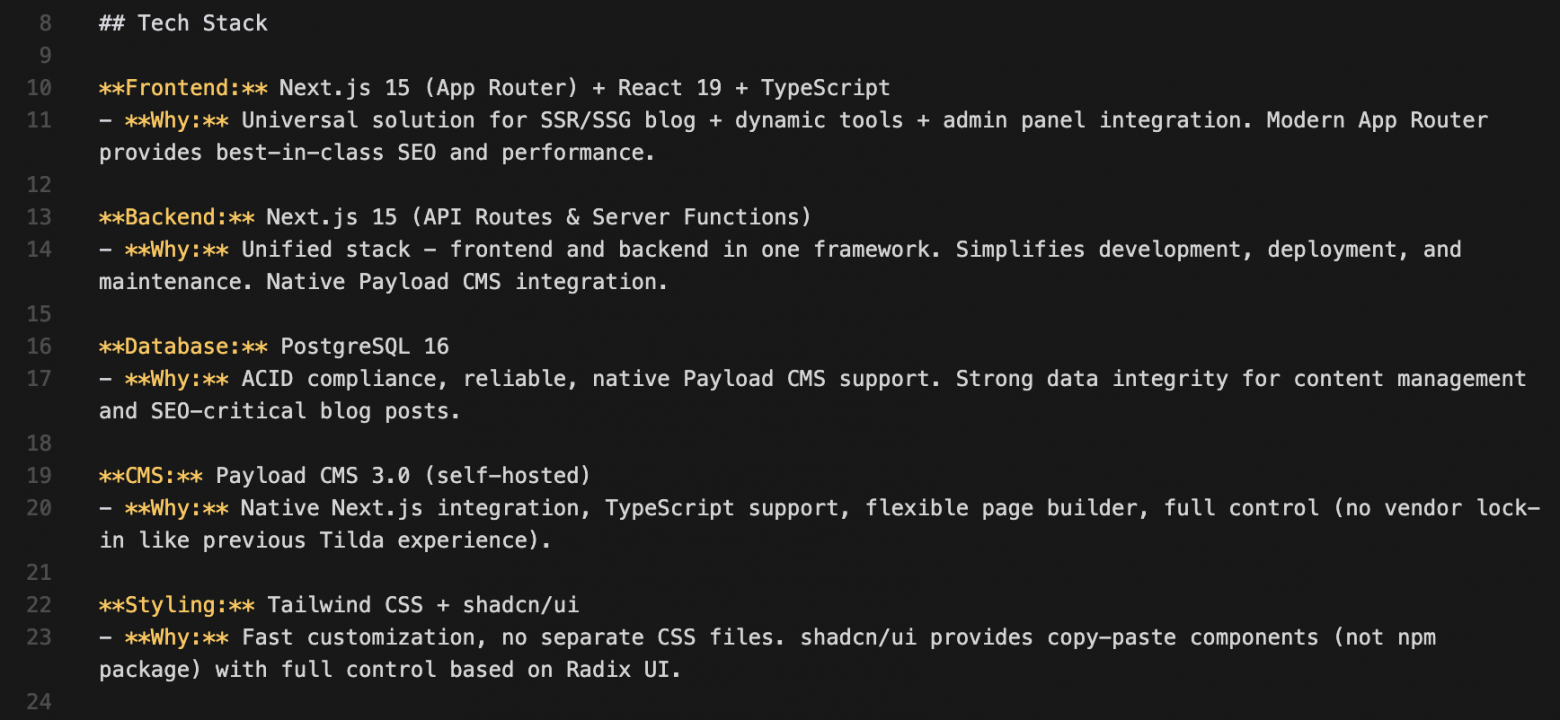
We filled them out together: I'd say what I wanted, Claude Code would describe everything, I'd review and edit it, then we'd save it. It was at this stage that we finally decided to build the site with Next.js + headless CMS instead of WordPress as I had originally planned. Here's a small excerpt from my architecture.md file (as an example):
How We Worked with Documentation and Technical Specs When Building the Site with Claude Code
We kept all documentation in English. It has better tokenization than Russian, so the files take up less space in the model's context window. This seemed important to me from a token-saving perspective. Plus it was a good opportunity to practice my English. Now the process looks like this: when we take on a new task, I first give Claude Code the necessary files from the knowledge base. He reads them — and then we work with full context understanding.
Spec-Driven Development — Our Main Approach
Another important thing I learned about vibe coding and development in general: the more detailed you describe a task at the beginning, the higher the chance everything will be done right and without unnecessary revisions. So we broke down all the work on the site into a lot of small tasks. We write a separate spec — a detailed technical specification — for each one. I explain in words what I want, Claude Code drafts the spec, I read it, edit it, and approve it. Here are examples of tasks we outlined during the planning stage in the Knowledge base:
- Build an MVP site on localhost (so just a page with text opens)
- Build a homepage
- Build a blog feed
- Build a blog article template
- Migrate all articles from the old site
- Add a dark theme
- Set up main branch deployment, connect domain
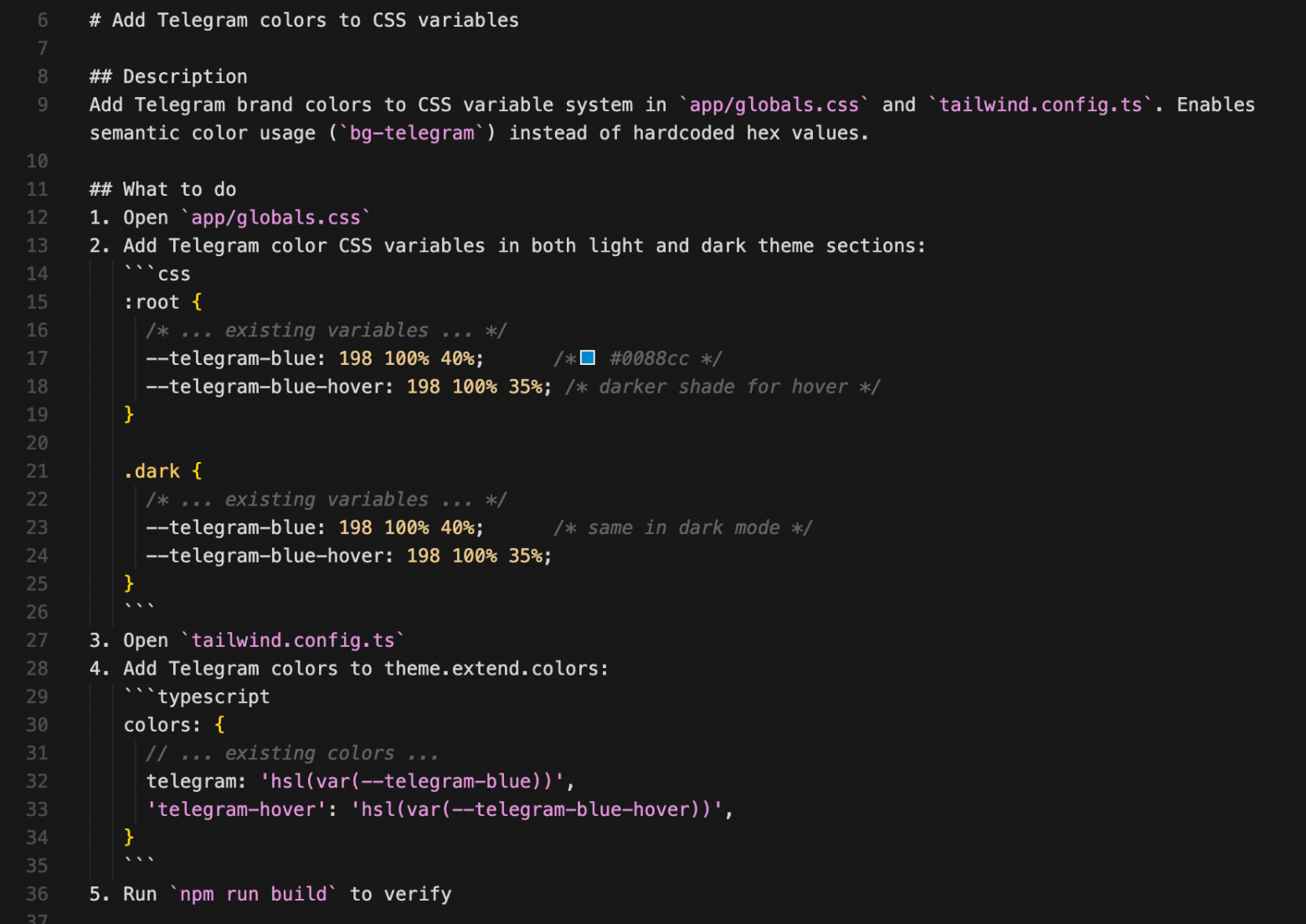
And so on. When I say "let's do the first task, draft a spec for it based on the template," Claude Code asks clarifying questions, searches the internet if needed, and via MCP Context7 writes a complete technical spec. I read it, find unclear parts, and ask him to explain them "for dummies" in the simplest words possible. If I see logic gaps — I point them out. Claude either defends his position or agrees and revises it. The spec is immediately broken down into atomic steps: "in this file do this, then run tests and check that nothing broke." Here's a snippet of a technical spec that Claude Code wrote for itself (example):
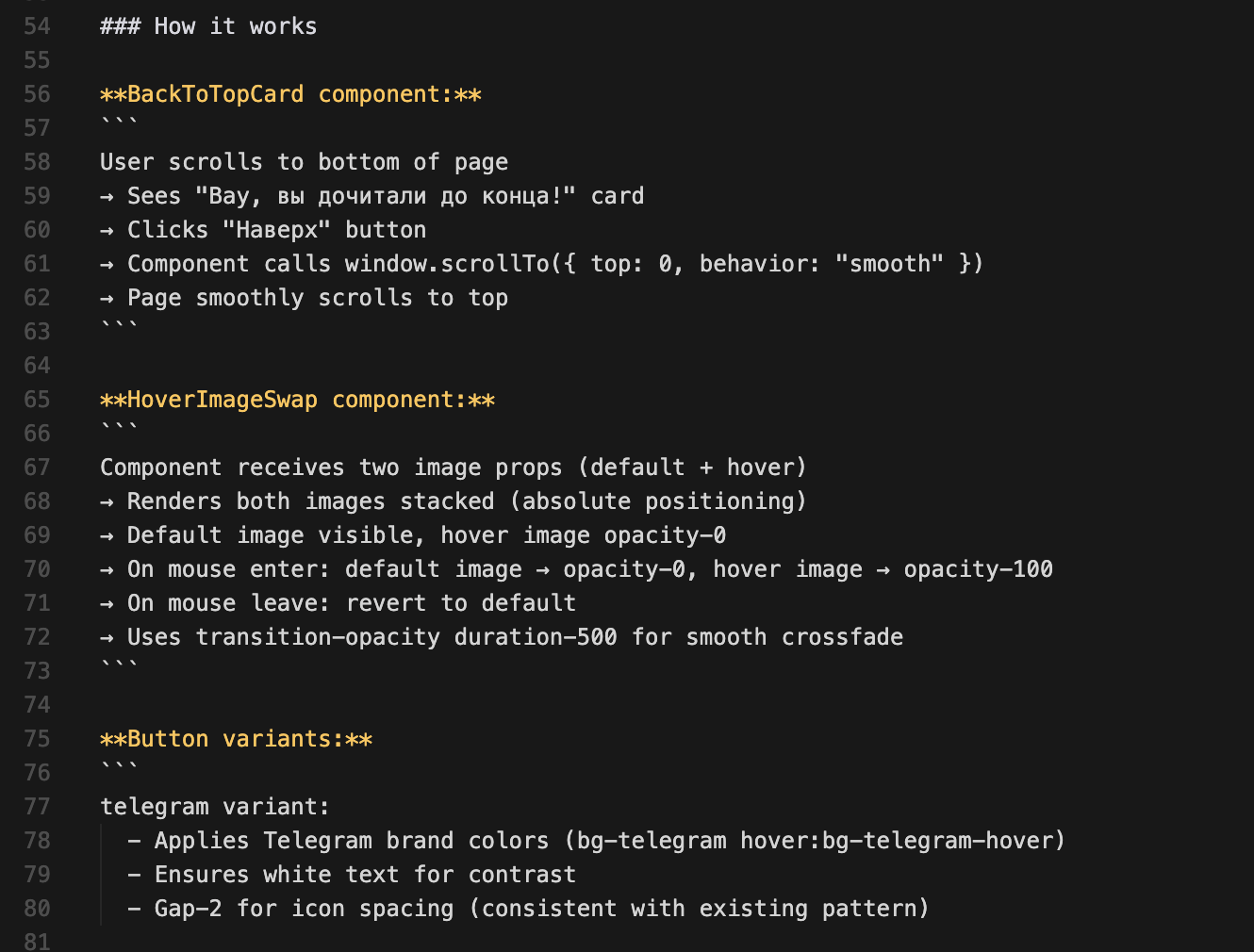
Here's an example of a task file. A Spec is a general description of the feature we're building, and inside it are many small md-files with individual tasks that I feed to Claude Code one at a time. Again, to avoid cluttering its context with unnecessary info.
Preparation takes 70% of the entire vibe-coding process with Claude Code
Honestly, all this preliminary work—knowledge base, specifications, and planning—takes me about 70% of all the vibe-coding time. After that, little depends on me. Claude Code starts writing code, executing commands, and I understand it too superficially to properly control the process in real time. That's why I try to work through the planning stage as thoroughly as possible. The better the plan and documentation are thought out, the fewer surprises there will be. For small tasks, I don't write a full spec. I just enable plan-mode, ask Claude Code to sketch out a plan, agree on it—and only then do we start work. Without plan-mode I don't do anything at all: it really guards against typical model blunders.
What the website development process with Claude Code looks like
My development process is quite simple and repeatable:
- I start a new chat with Claude Code.
- I send it a task file + links to the relevant pieces from the Knowledge base.
- Claude Code studies everything I've sent and writes a detailed action plan.
- I approve it (or edit it).
- Work begins.
- I open the website on localhost and see what we've got.
- It almost never comes out right on the first try, so I take a screenshot, send it to the chat, and ask for corrections.
And that's how we close each task step by step. At some point, I connected an MCP server with Playwright so Claude Code could open the website itself and see the result. This helps a lot when fixing obvious bugs and technical issues. But when it's just 'ugly' or 'doesn't look right'—Playwright doesn't help. I have to take a screenshot and explain in plain language what needs to be moved where. The homepage took me an entire evening. I looked through various examples, figured out the general direction, drew a simple diagram in Figma, sent it to Claude Code, and asked to make something similar.
Important note—I really don't like the design that neural networks create. Lovable, Gemini, Claude—they all end up with some kind of dull mess.
So I asked Claude Code to not invent anything, just use ready-made shadcn components. They're already beautiful and clean. Claude Code itself gave me this advice during the website planning stage =)
We built a simple page, and then we 'livened it up.' Let's add a screenshot to this block, client logos here, there will be this animation here and so on.
A couple of hours—and the homepage is completely ready. At that point I was already thrilled, because no contractor has ever built anything for me this fast. Those guys count in days and weeks, but we knocked this out in an evening with the neural network. Plus, most of the evening was planning.
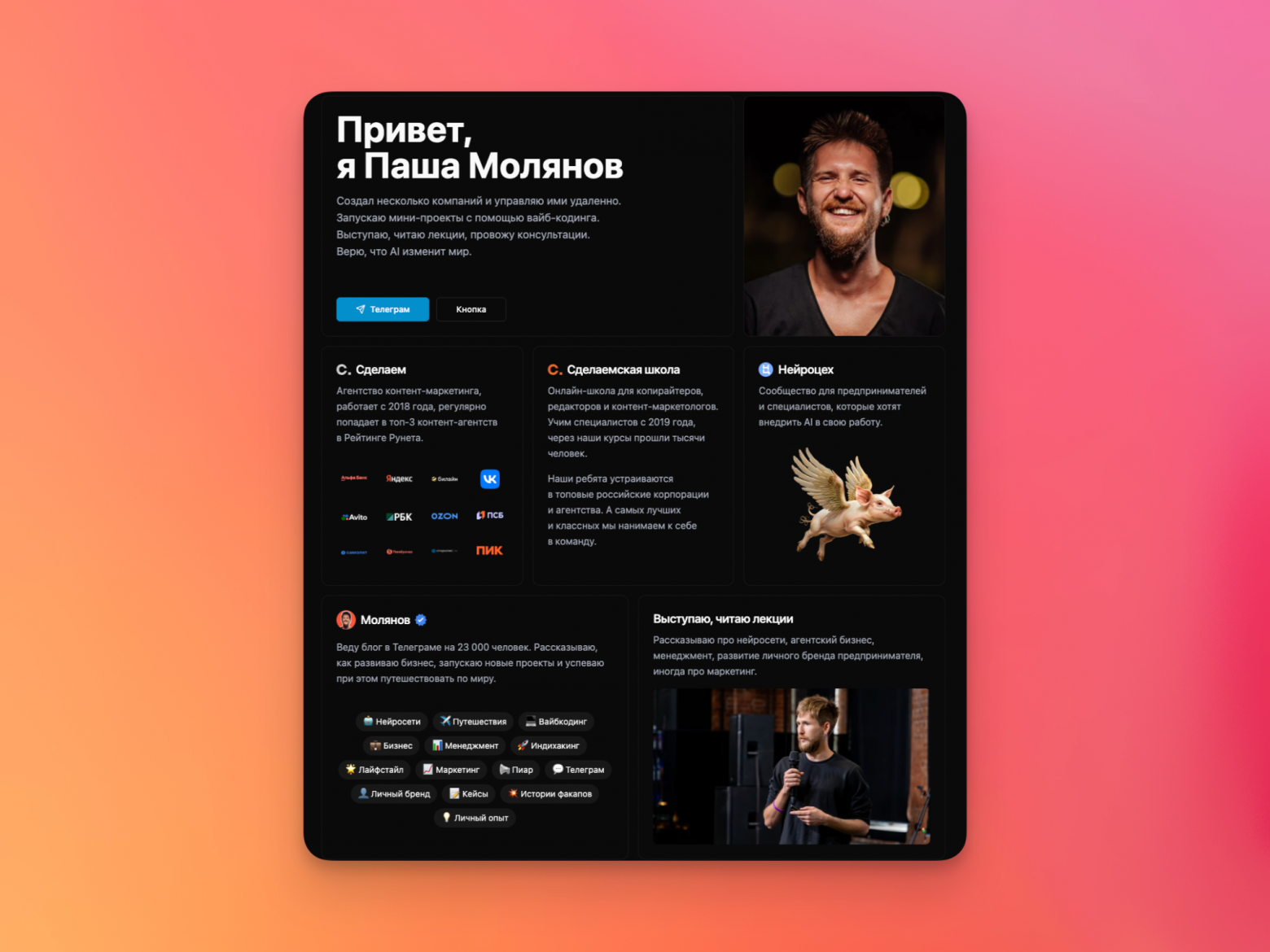
I won't share the website link, I know moderation doesn't really like that. I'll show a screenshot. Anyone interested can Google the rest.
What we ended up with and how the content migration went
I loved the result. We got a simple, minimalist design, the site loads instantly. And the best part—now we can edit anything with simple messages in the chat with Claude Code. No zero-blocks, no admin panels, no manual markup. Of course, it doesn't always come out perfect on the first try. Sometimes Claude gets it right immediately, sometimes I need to make corrections 2–3 times. But even with corrections it's incredibly fast—especially considering I'm not a developer, not a markup specialist, not a designer, and didn't know Next.js at all before this. I did everything based on internet advice and the model's suggestions. Another full day went to migrating the rest of the pages, the blog feed, and all the articles. By the way, I have a very telling story about content migration. Previously, on one of my projects, we migrated from Tilda to WordPress. A person manually moved all the articles over several days: copying text, uploading images, putting them in place. Claude Code did it in 15 minutes. I just gave it the old website's sitemap. It parsed it itself, extracted all the articles, split them into separate MDX files, downloaded the images, and organized them into the correct project folders. Of course, there were some minor hiccups: some images got duplicated, and some articles still had links to the old Tilda CDN instead of local copies. But these problems were trivial—we fixed them in another half hour. In the end, the entire blog migration took about an hour.
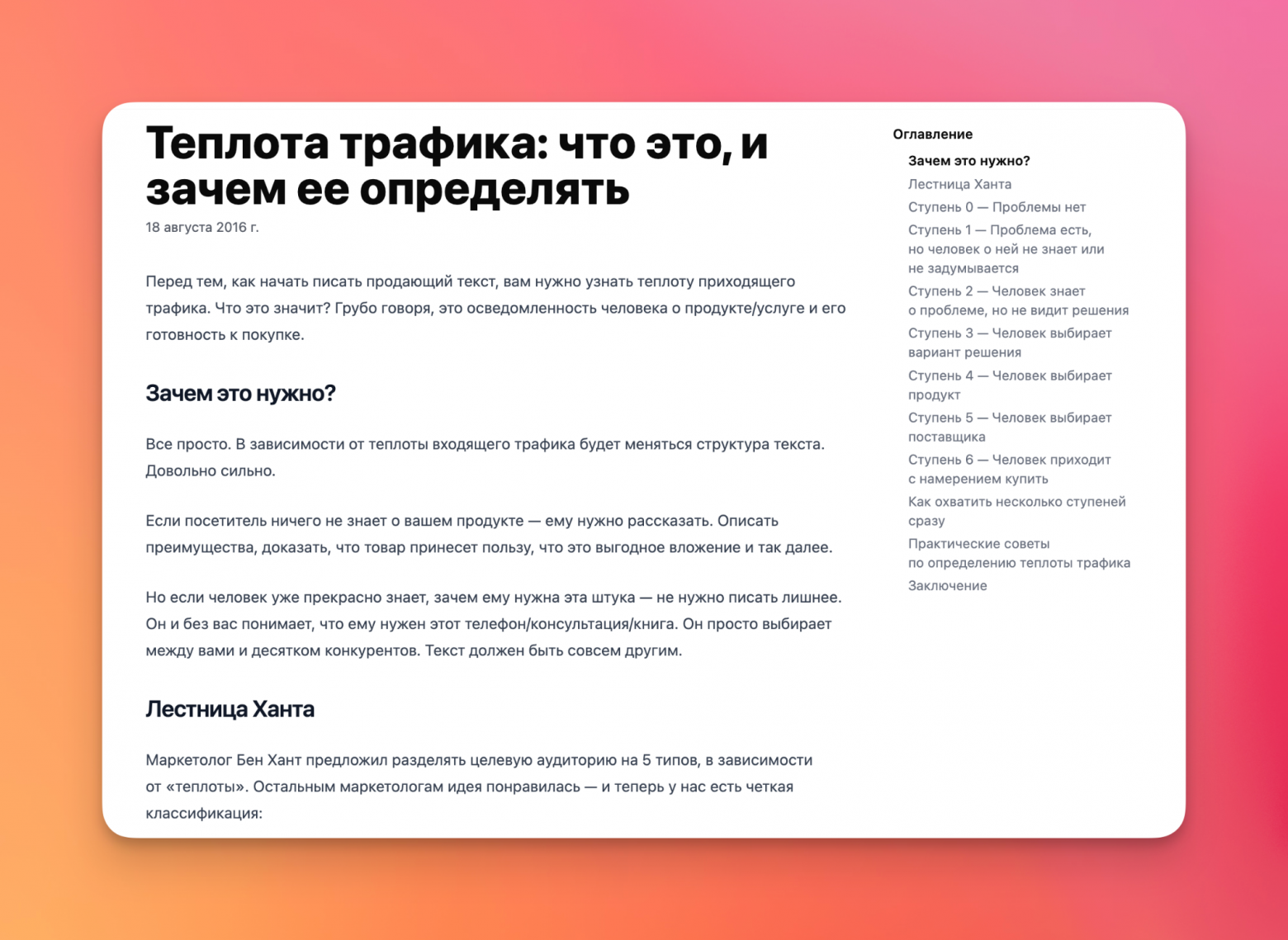
The last day was spent polishing. I asked Claude Code to review all the website code, find possible bugs, vulnerabilities, unused functions. And then refactor everything.
Then I did the same SEO audit. Claude itself suggested what needed to be done, added robots.txt, created a sitemap, added meta tags and OpenGraph on all pages. We connected Yandex.Metrica, Google Search Console, and all that stuff.
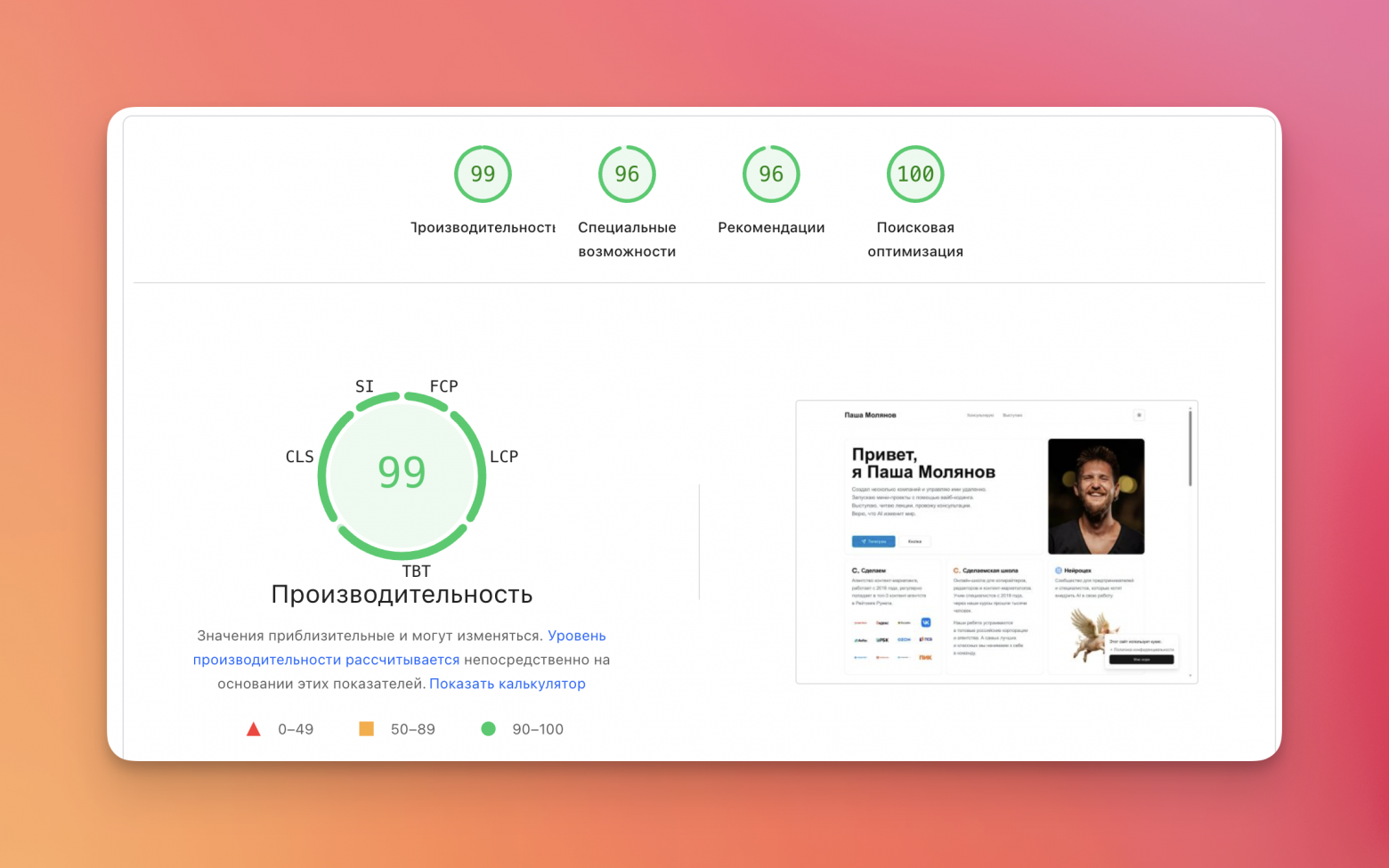
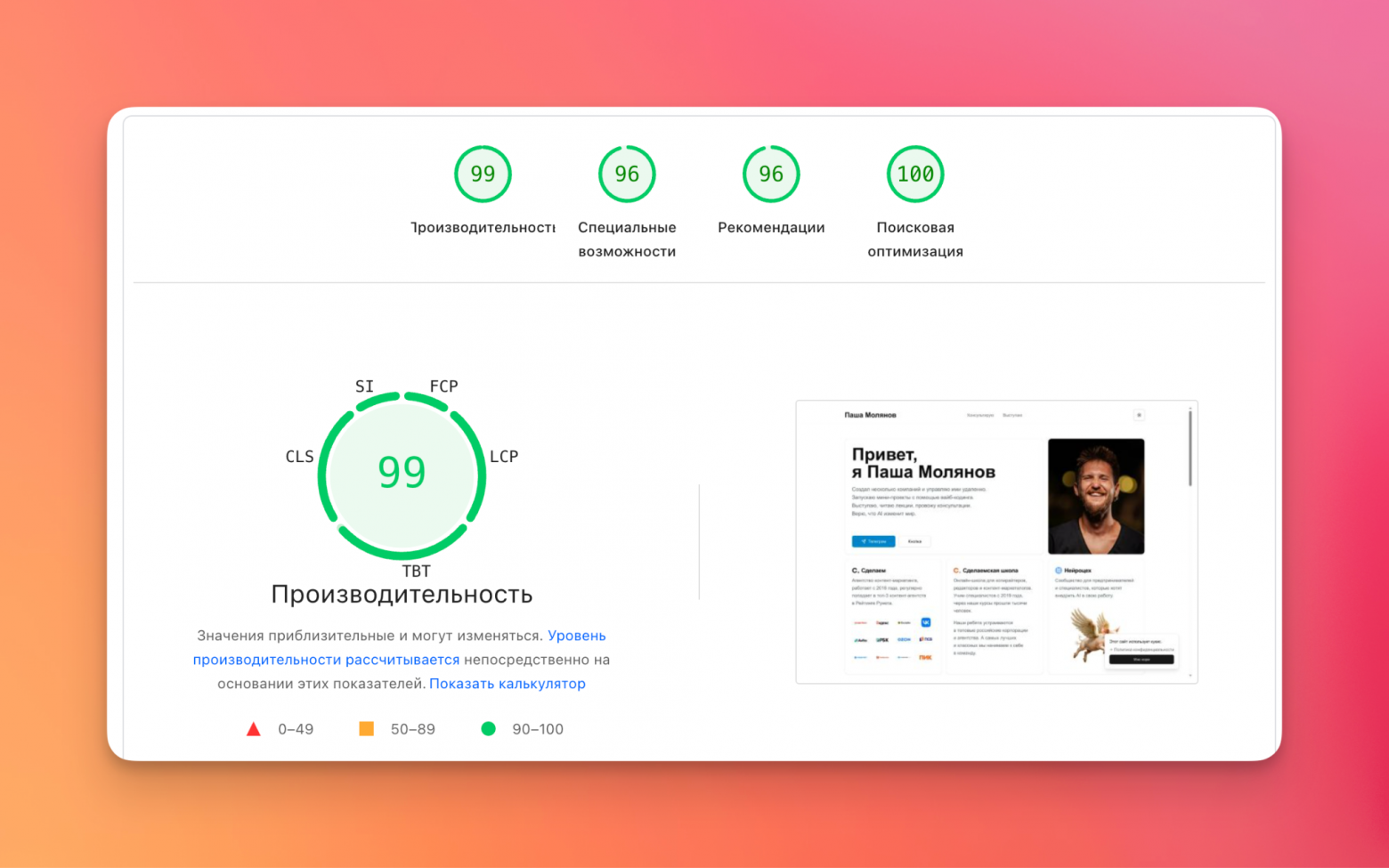
At the end, I ran the website through PageSpeed Insights, copied all its recommendations, and asked Claude Code to implement them.
The results are pretty good. The old website's performance was around 70.
Ditching Payload CMS: why an admin panel turned out to be unnecessary
And now for the most interesting part. According to the original plan, the website should have had a full-fledged admin panel powered by Payload CMS. However, from the start Claude Code couldn't install it properly—errors kept coming up. I decided to postpone this task: maybe the website wouldn't work out anyway and we wouldn't need an admin panel. After three days of active development, I realized something unexpected: we don't need an admin panel at all. Why would we need one if Claude Code itself can make virtually any changes to the website?
- 'Add a new review' → done
- 'Publish this article to the blog' → done
- 'Change the text on the homepage' → done
- 'Change the button color' → done
- 'Update the article description' → done
It does all of this quickly, on the first or second try, and with almost no bugs. Thanks to a well-developed Knowledge base, the model knows exactly where and how articles, images, reviews, and other data are stored. Claude and I discussed this and decided to completely abandon the CMS. We removed Payload and forgot about it. By the way, the entire development process ran on a Latvian VPS. I connect to it via SSH without any VPN—very convenient. And if I need to quickly fix something on the go, I access it through the Termius app right from my phone.
In the end: 3 days and a completely new website
The entire project took exactly three days:
- Day 1 — planning, documentation, and the homepage
- Day 2 — remaining pages, blog, and article migration
- Day 3 — polishing, SEO, bug fixes, and migration to the production domain
For comparison: ten years ago, my first WordPress site also took about three days. But back then I ended up with a dull, broken site that I wasn't happy with. And now I really like the result — both how it looks and how fast it works.An important plus: SEO traffic didn't drop at all after the migration. The migration went cleanly, without any technical losses.Over these three days I learned a lot: finally figured out what Next.js, shadcn, and modern frontend development are all about.Now I make any changes to the site through Claude Code. I just write what needs to be done, and it makes the edits. I check the result on localhost, and if everything looks good — I ask to push the changes to main. After that, the site automatically updates via Docker.Another big bonus — now the site is completely mine. I don't depend on Tilda in any way. Even if something happens to the current VPS, all the code is on GitHub. Move the repository to another server — and the site works again.
A channel with guides and content about Claude Code, we share news (when limits get cut by 10x) and what tools we implement via Claude for projects, channel: https://t.me/claudedevolper